Coach a Fighter Updates: Official Events and Site Reviews
Open creator-owned Roblox event pages for Update 1 and Update 2, understand what those pages prove, and see how this site reviews version-sensitive guidance. The event identities are official; detailed balance changes, rewards, requirements, and dates are published here only when a creator-owned source or the live game actually supports them. Use the event directory for provenance, then revisit the affected guide and current server before changing a training, match, money, code, gym, or league plan.
What the update evidence supports
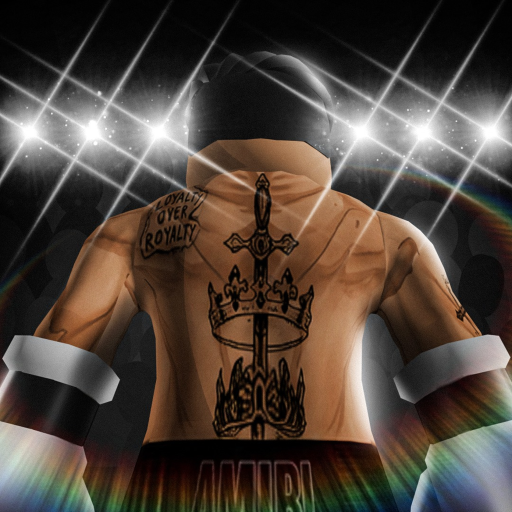
The project verified creator-owned Roblox event pages titled Update 1 and Update 2. Those pages establish that the game uses official event destinations and provide reliable URLs for players. Their event artwork also belongs to the official media pool used across this site, with provenance and hashes stored in the generation artifacts.
An event title alone does not prove every feature in a community video or search result. Community archives include update labels and describe money, rerolls, map, gym, and progression observations, but they are treated as examples rather than official patch notes. Exact changes are omitted when no creator-owned text or live evidence supports them.
This site reviews update-sensitive pages by preserving the supported high-level loop and marking unstable details. Costs, odds, payouts, stat formulas, training caps, preparation counts, opponent names, rewards, league thresholds, and code status can all change. Each guide tells the reader which current screen should be checked before making a decision.
The Updates hub is not a fake news feed. It does not manufacture an article card for an event or duplicate a title, date, and summary without a corresponding published MDX file. Instead, it provides official outbound links and routes to the reviewed guide pages that explain the systems players are likely to recheck after a release.
Official Coach a Fighter update events
These exact Roblox URLs were verified as creator-owned event destinations for the target experience. Open them directly rather than relying on a copied search-result title.
What do you need to verify after an update?
Choose the destination that contains the current decision, then compare it with the live game instead of assuming an old value still applies.
I need the official event
Open the verified Roblox event and creator-group directory.
Open official linksThe gameplay loop changed
Recheck selection, preparation, training, matches, gym, and leagues.
Read how to playI saw a new code claim
Use the evidence-first tracker before trusting the string or reward.
Check code statusA beginner step looks different
Follow the live requirement and use the conservative checklist.
Review beginner tipsRecheck the affected systems
Coach a Fighter update questions
Are Update 1 and Update 2 official?
Yes, creator-owned Roblox event pages were verified for both names. Their presence does not automatically verify every community claim about their contents.
Why is there no complete patch-note list here?
The accepted official surfaces establish event identities but do not provide enough detailed creator text for a complete, accurate changelog.
What values should I recheck after an update?
Recheck costs, rewards, requirements, training effects, preparation counts, opponent lists, league thresholds, betting values, and code status in the live game.
Can a community video prove a change?
It can support a dated observation, but it is not an official patch note and may reflect a build that has already changed.
How do new update articles appear?
A page is published only when it has a distinct player task, enough accepted evidence, validated metadata, and a real MDX route.
Verify the event, then check the live system
Open the official Roblox destinations first. When a guide and the current game disagree, follow the live interface and send the site a correction with the affected route and evidence.